
Sovereignty: One Service Catalog to rule them all
The last couple of weeks have been hectic. Alongside my day job, I was preparing for my presentation at Techorama Netherlands 2026. I spoke about using public cloud engineering skills to build a sovereign cloud. I also showed why a service catalog matters by adding new capabilities to my cloud. Afterward, several people asked if I would share the source code.
Now that Techorama is behind me, I can explain a few of the ideas behind my cloud platform. This article looks at service catalogs and how they help connect the individual parts.
In the previous articles I covered things like source control and CI/CD, identity and observability. Each of them solves a particular problem. Put them on the same server and you have a nice collection of software.
But do you also have a cloud?
Running a bunch of containers is one thing. Making them work together as a platform is something else.
For me, the missing piece was not another container. It was a way to describe what I had built, how the parts belonged together, and where to go when something needed attention.
The architecture was living in my head
Take a simple question: where do I go to manage my file storage? The obvious answer is OpenCloud. That is where I access and share my files. But that is only part of the story. The persistent storage lives on my Synology. Authentication involves Pocket-ID. Backups are handled separately. Metrics and logs live in the observability stack.
All perfectly reasonable choices. Each component does its own job.
The problem is that I need to remember the connections. Which dashboard belongs to this service? Where is the documentation? Which machine runs it? What is the difference between the URL I open in my browser and the endpoint used for a health check? Now multiply that by all the services in the setup.
I could put the answers in a document. But then I would still have to maintain the same information in my dashboards, monitoring configuration and portal. Change one URL and suddenly there are several places to update.
We all know how that ends. One of them gets forgotten.
A catalog, not another list of bookmarks
My first requirement was straightforward: describe each service once, in a place that I can version and review. That place is Git, and the format is YAML. Nothing exotic. No database server, no new management platform, no weekend spent installing a system to document the systems I already have.
A service catalog records each service’s name, stable identifier, URL, owner and operational information. Tools can use that description instead of maintaining their own copies.
The format is not the important part. JSON would work too. What matters is that the information has a defined structure that tools can use, not just a page for me to read.
A bookmark tells me where to click. A catalog tells me what I am looking at and how it fits into the platform.
Think in capabilities, not container names
There is another part to this. A list of services describes the technology, not what the cloud can do for me.
When I share a file, I am not thinking about containers, volume mappings or backup schedules. I want storage and collaboration. When I publish an application, I need a developer platform, not just a Git server.
I call those broader functions capabilities.
In my setup, a capability can bring together different types of things:
- Services, such as OpenCloud, Gitea or Grafana.
- Resources, such as a server, NAS or reverse proxy.
- Operations, such as backup, vulnerability scanning or dependency updates.
- Documentation, explaining how to operate or recover those parts.
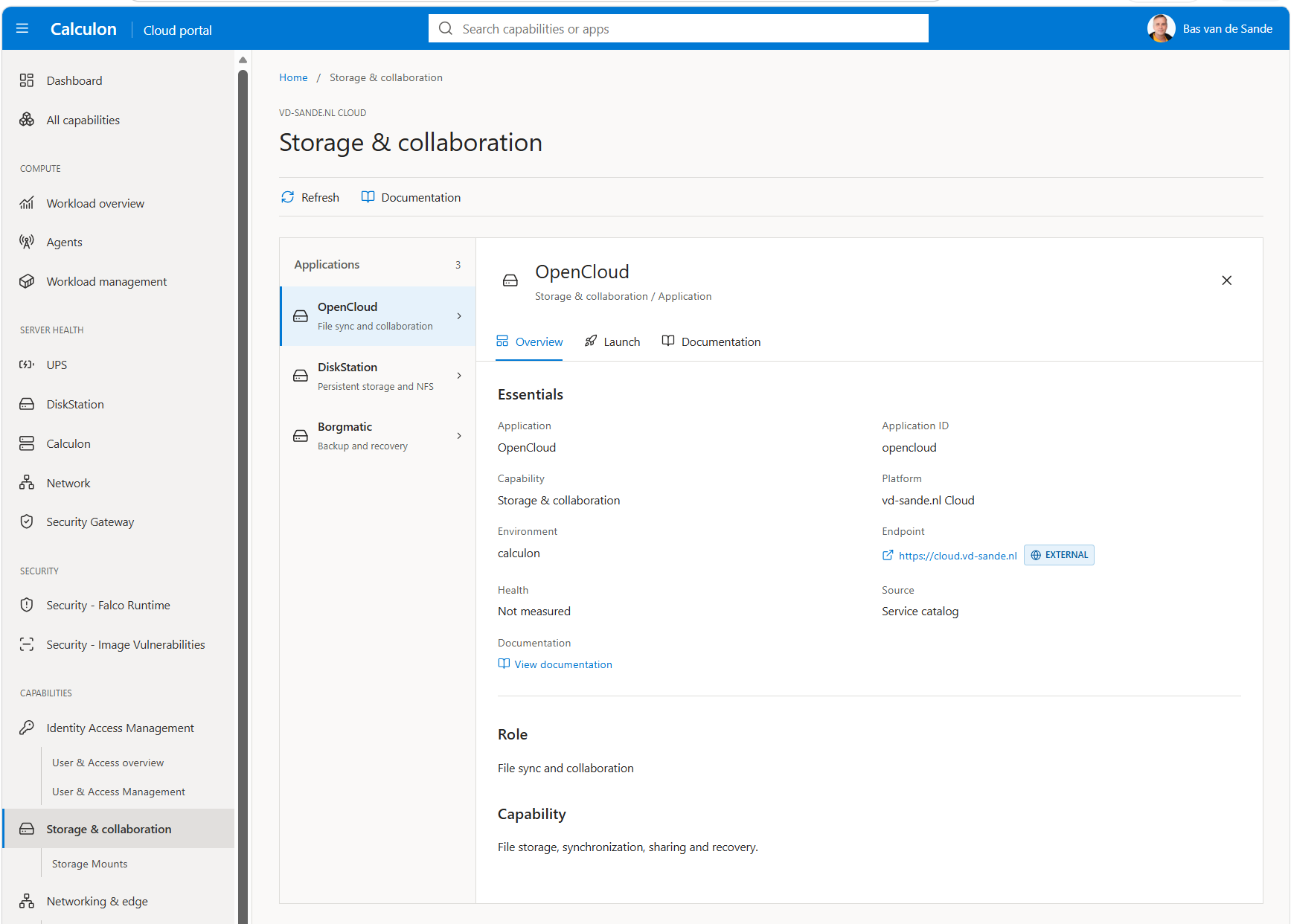
Storage and collaboration is a useful example. OpenCloud provides file access and sharing. The NAS provides persistent storage. The backup operation provides recovery. They belong together from an operational point of view, even though they are not deployed as one application.
The developer platform is another example. Gitea handles repositories and workflows, a runner executes the jobs, a registry stores the images, and Caddy serves the published static sites. Separate components, one useful outcome.
That distinction matters. A Docker Compose stack describes a deployment boundary. A capability describes a function of the platform. Those boundaries do not have to be the same.
Describe the relationship, do not invent the integration
Now I hear you thinking: so adding a service to a capability connects everything automatically? Unfortunately not. YAML is useful, but it does not perform miracles.
Putting OpenCloud and Pocket-ID in a catalog does not configure OIDC. Listing a backup operation does not prove that the files are being backed up. Those integrations still need to be configured, deployed and tested.
The catalog describes the intended structure. It gives the platform a shared vocabulary and provides a place to find the relevant configuration, dashboards and runbooks.
It also helps to be precise about relationships. “Part of storage and collaboration” is not the same as “requires this service to answer every request.” A backup job belongs to the storage capability, but a failed backup does not necessarily mean that OpenCloud is unavailable.
For a first implementation I would keep this simple: record membership and the role of each member. Add dependency relationships later, when there is an actual use for them.
Otherwise you will spend more time modelling the cloud than running it. Been there, easy trap.
Start small
My actual catalog has separate files, schemas and generators. You do not need all of that to get started. For a small setup, a single file is enough. Here is a deliberately simplified example, not a copy of the complete Calculon schema:
services:
  - id: opencloud
    name: OpenCloud
    url: https://files.example.net
    owner: platform
    deployment:
      host: calculon
      stack: opencloud
    links:
      runbook: docs/opencloud.md
    health:
      url: https://files.example.net/health
      module: http_2xx

resources:
  - id: nas
    name: Synology NAS
    links:
      runbook: docs/storage.md

operations:
  - id: backup
    name: File backup and recovery
    links:
      runbook: docs/backup-and-restore.md

capabilities:
  - id: storage
    name: Storage and collaboration
    members:
      - kind: service
        id: opencloud
        role: File access and sharing
      - kind: resource
        id: nas
        role: Persistent storage
      - kind: operation
        id: backup
        role: Backup and recovery
The domain names and documentation paths are examples. The health URL is illustrative too. Replace it with an endpoint your deployment exposes, and choose a check that matches its behaviour.
Each object has a stable id. Display names can change without breaking references. The capability points to those identifiers instead of repeating the service description.
Each member also has a kind and a role. This tells a consumer what it refers to and why it belongs there. A NAS is not an application, and a backup procedure is not a URL to open.
The browser URL and health endpoint are separate. The place where a user signs in is not always right for a monitoring probe.
Finally, do not put passwords, API tokens or private keys in the catalog. It describes the platform. It is not a secret store. Even without secrets, it can reveal internal topology, so consider who can read it before publishing the file.
Give the catalog one job first
The temptation is to immediately build a portal with live status, dependency graphs and buttons for everything. I would start smaller.
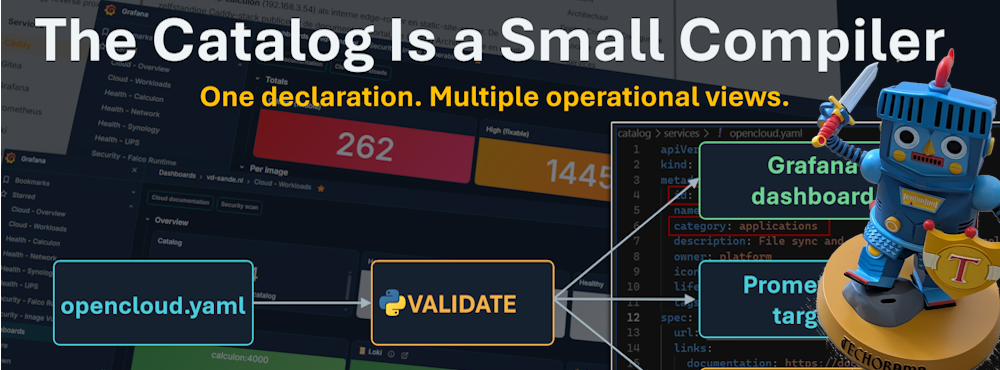
The first consumer can generate Prometheus discovery targets for services with a health check. This connects each service’s identifier, capability and owner to actual measurements. It also avoids a separate list of monitoring targets.
Before generating anything, validate the basics. Identifiers must be unique within each kind, required fields must exist, and every capability member must point to an existing object of the specified kind. A typo should fail the check, not silently disappear from monitoring.
Next, generate Grafana panels that query those measurements using the same service identifiers. The catalog entry, monitoring target and dashboard now describe the same service. Grouping by capability also makes those relationships useful beyond individual applications.
You are no longer maintaining separate lists for services and monitoring targets.
In Calculon, this approach produces Grafana dashboard configuration and Prometheus discovery targets. Documentation and portal data can come later. A separate documentation generator creates service-page skeletons and maintains their navigation. I still have to write the actual runbooks, unfortunately.
Configuration is not health
The catalog describes what should exist. Monitoring describes what is happening now. The catalog says that OpenCloud exists, where it belongs and which endpoint should be checked. Monitoring tells me whether that endpoint responds. Neither of those, by itself, proves that I can sign in, upload a file and recover it from backup.
I do not want a manually maintained healthy: true field in Git. That would be optimistic documentation, not observability.
The same applies to access. Recording that an endpoint is internal does not enforce a firewall rule. The infrastructure still has to enforce it.
The catalog supplies context. The running systems supply evidence.
Keep it boring enough to maintain
In my setup, catalog changes go through Git alongside the rest of the platform configuration. Generators produce predictable output. Checks catch generated files that no longer match their source.
Adding a catalog entry does not deploy an application. Deployment remains a separate responsibility. Nor does every fact about every system need to end up in the catalog.
Start with information you can maintain and a real consumer for it. Add a field when it solves a problem, not because an architecture diagram suggests you might need it one day.
I am still running a personal cloud, not trying to recreate an entire hyperscaler in my meter cupboard.
Wrap up
The service catalog did not replace any tools in my cloud. It gave them a shared description of the platform and made their relationships visible.
That moves the setup beyond a list of containers. It shows what the cloud provides and how I operate it. Start with one YAML file, a few stable identifiers and a capability that groups related parts. Validate it, connect it to monitoring, and expand when you have a reason.
In the next article, I will build on this model. I will read the catalog, validate the service definitions and generate Prometheus discovery targets and a Grafana dashboard.